yrnkuvzw · Conflicts that don't block.
Conflicts that don't stop you.
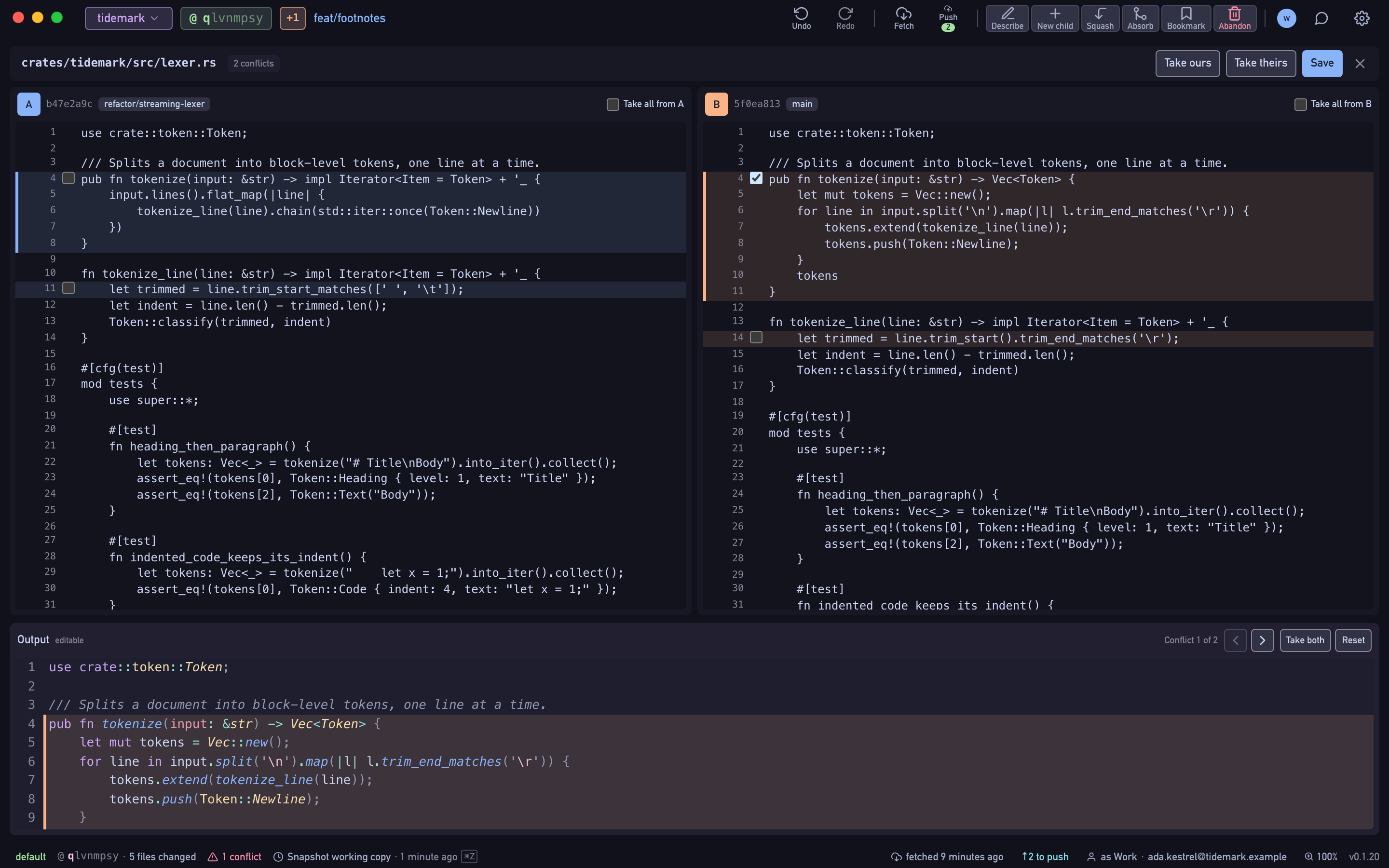
In jj a rebase or merge always completes: the conflict is recorded in the commit and travels with it. Keep working, and resolve it when you're ready in a resolver that shows side A and side B above an editable Output.
- Free Public and local repositories, every feature.
- Pro Private repositories on GitHub, GitLab and Bitbucket, with a 14-day trial.
nkuvzwyr · commit
How it works
Spot it in the log
Conflicted commits carry a badge, and the log counts how many there are.
Open the resolver
Click the conflicted file. Sides A and B sit on top and scroll together, with the Output below. Each side shows which commit it came from.
Pick, edit, save
Take all from A or B, choose a side per conflict region, or type in the Output. Save writes the result into the commit and the badge clears.
uvzwyrnk · branch
What's included
- Take all from A or B, or choose per conflict region
- An editable Output for manual resolutions
- Save a partial resolution; unresolved regions stay recorded in jj
- Conflicted and diverged bookmarks resolved from the push dialog
- Your own merge tool, if you prefer one (Settings ▸ External Tools)
zwyrnkuv · HEAD
Availability
- Free
- Public and local repositories, every feature.
- Pro
- Private repositories on GitHub, GitLab and Bitbucket, with a 14-day trial.