plwtsxmq · See it before it lands.
Know exactly what you push.
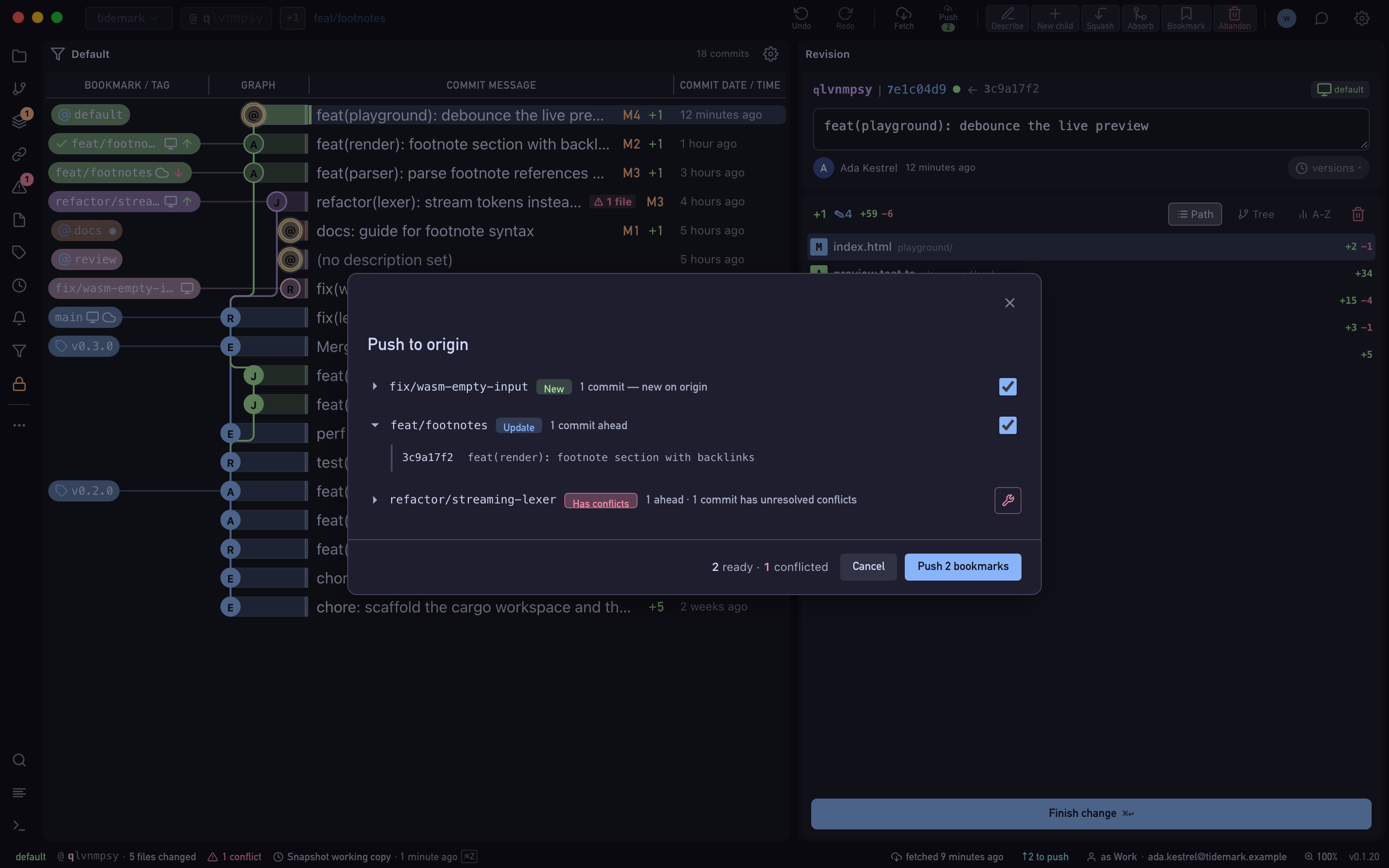
Before anything leaves your Mac, the push preview lists every bookmark as a fast-forward, a force-push or a deletion, and flags the force-pushes. Push to several remotes at once, then open, review and merge the pull request without leaving Wyrm.
- Free Public and local repositories, every feature.
- Pro Private repositories on GitHub, GitLab and Bitbucket, with a 14-day trial.
wtsxmqpl · commit
How it works
Push
Click Push or run it from the command palette. Wyrm fetches the remote state first.
Review the preview
Every bookmark is marked fast-forward, force-push or deletion. Untick anything you don't mean to send, and pick one remote or several.
Open the pull request
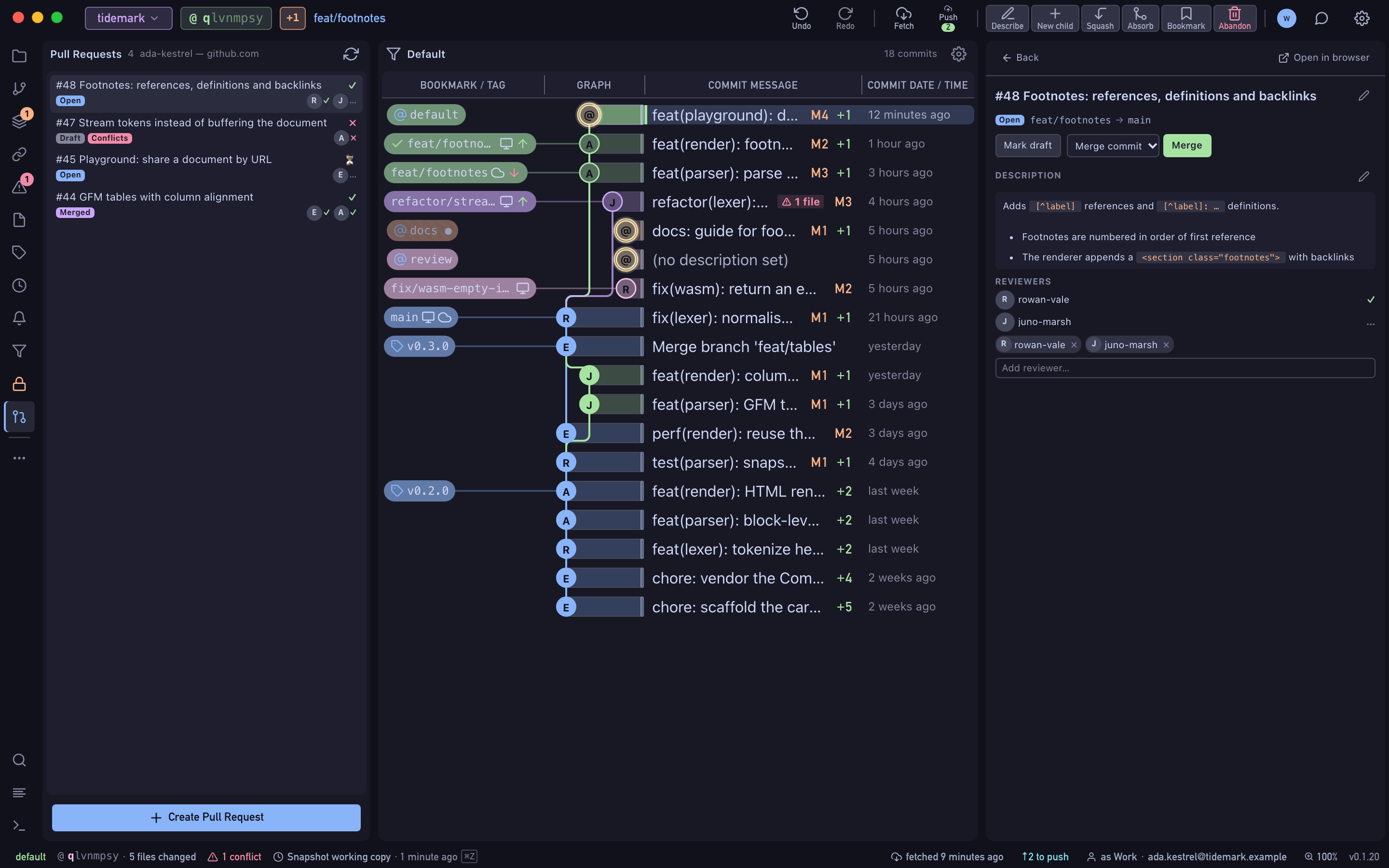
Create a pull request on GitHub or a merge request on GitLab from the bookmark, edit it, request reviewers, mark it ready and merge with the method you choose.
sxmqplwt · branch
What's included
- Force-push and divergence warnings before you confirm
- Several remotes in one push, each with its own result
- Fetch, push and clone run in the background and can be cancelled
- Pull and merge requests: create, edit, draft or ready, reviewers, merge
- Push tags, and delete them on the remote, from the same dialog
mqplwtsx · HEAD
Availability
- Free
- Public and local repositories, every feature.
- Pro
- Private repositories on GitHub, GitLab and Bitbucket, with a 14-day trial.
Creating a pull request on a private repository needs Pro.