wnzrokyl · Several working copies, nested repos.
Many working copies, one history.
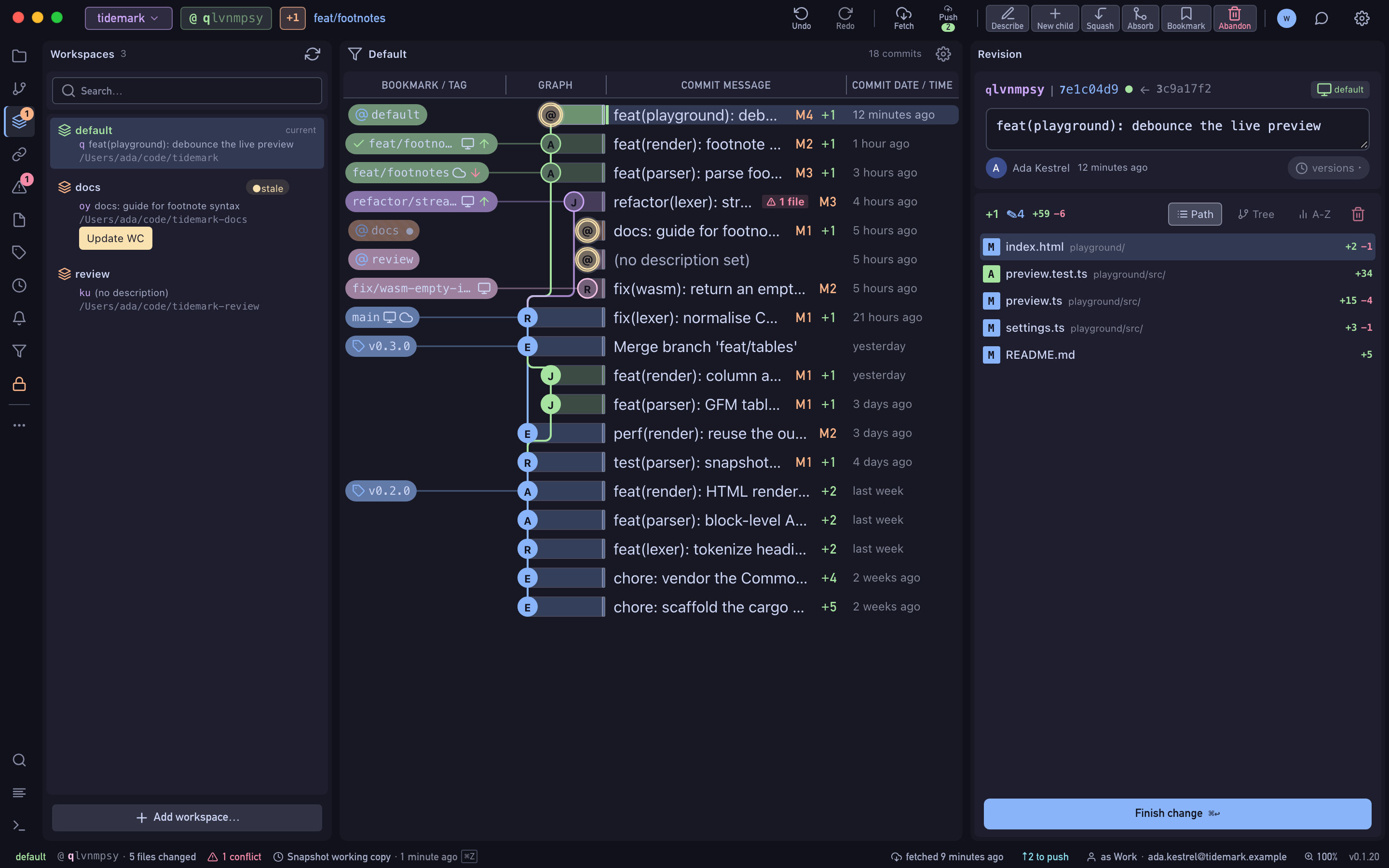
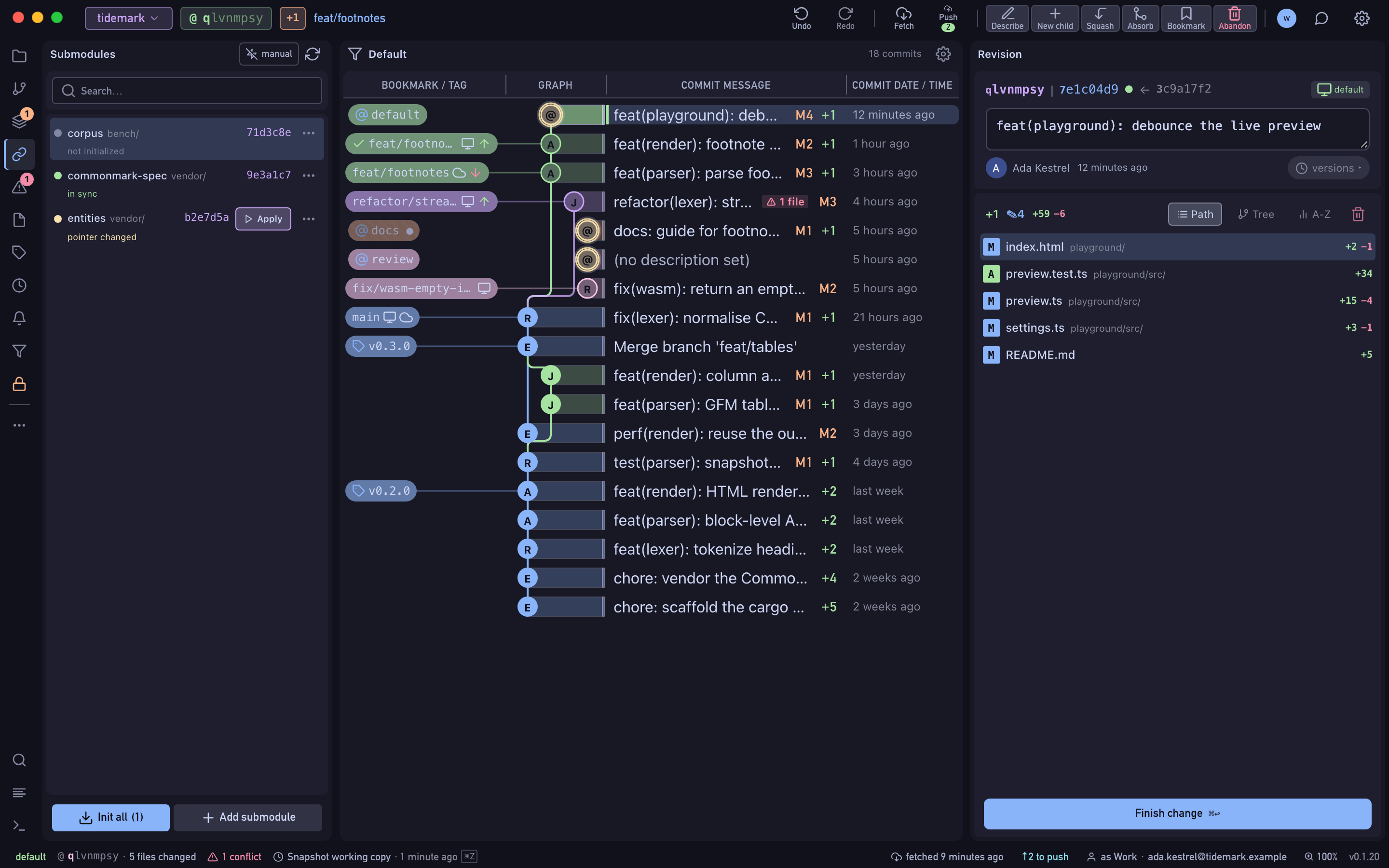
jj workspaces give you several working copies of one repository, each with its own @. Wyrm lists them, flags the stale ones and switches in a click. Submodules get the same care: open one in place, update its pointer, and come back through the breadcrumb.
- Free Public and local repositories, every feature.
- Pro Private repositories on GitHub, GitLab and Bitbucket, with a 14-day trial.
zrokylwn · commit
How it works
Add a workspace
Give it a name, a folder and a base revision. Wyrm runs
jj workspace addand can open it straight away.Switch and keep up
Click a workspace, or its chip on a commit in the log. A stale working copy is flagged, with one click to update it.
Step into a submodule
Double-click a submodule to open its own log in the same window, check out the commit you want, then apply the pointer to
@back in the parent.
okylwnzr · branch
What's included
- A chip in the log for every other workspace's
@ - Remove… saves a workspace’s tracked changes into a commit before deleting its folder, and refuses when that could lose work
- Secondary workspaces can be colocated with Git
- Submodules panel: status, initialise, update, add, sync URL, remove
- Open un-initialised submodules and Git worktrees directly
ylwnzrok · HEAD
Availability
- Free
- Public and local repositories, every feature.
- Pro
- Private repositories on GitHub, GitLab and Bitbucket, with a 14-day trial.