sqvpxlno · Reshape commits, down to the line.
Rewrite history down to a single hunk.
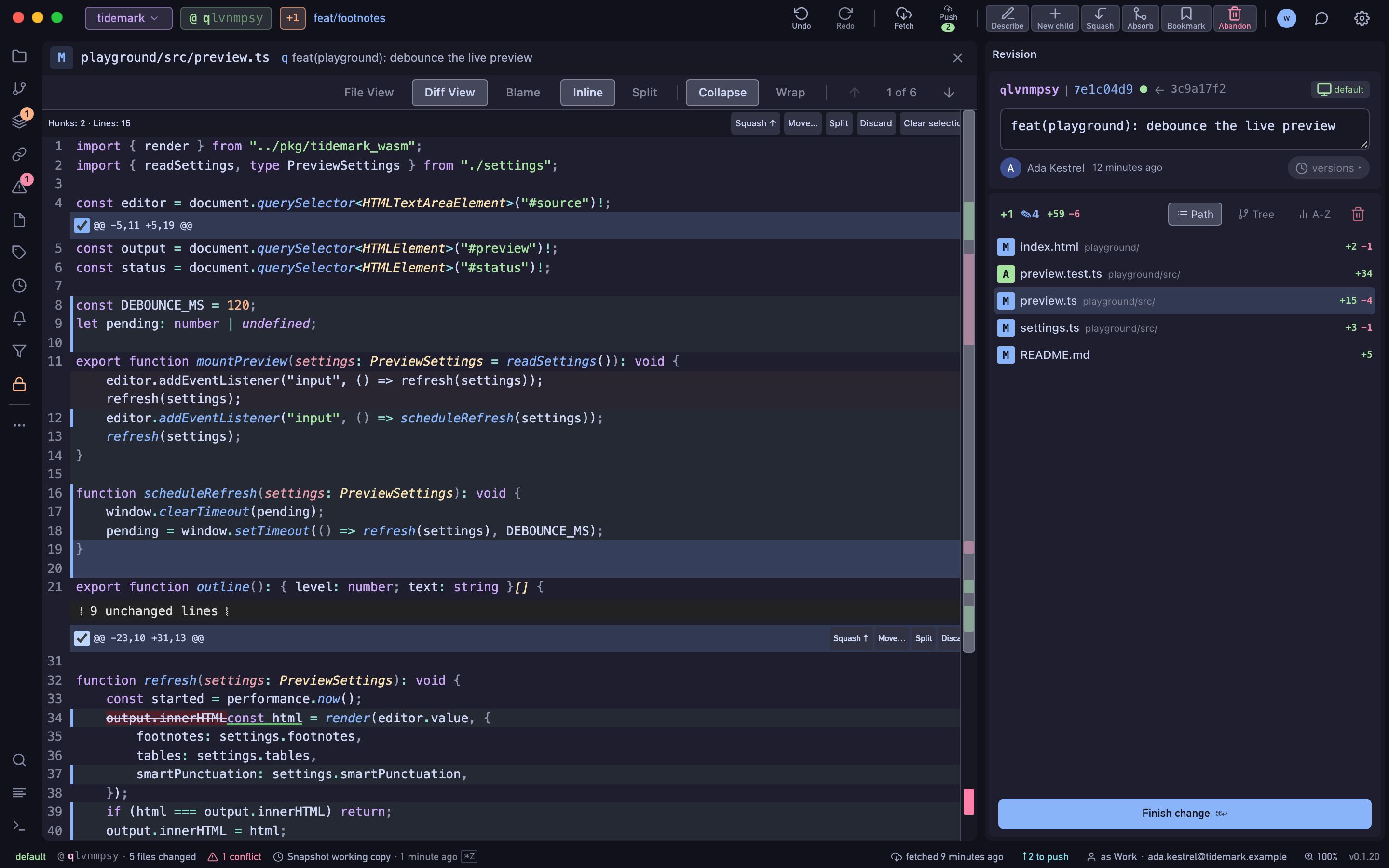
Split a commit in two, squash a fix into its parent, or let absorb send changes to the commits they belong to. Tick hunks in any diff to act on just those lines, and edit a file in any revision — everything after it rebases for you.
- Free Public and local repositories, every feature.
- Pro Private repositories on GitHub, GitLab and Bitbucket, with a 14-day trial.
vpxlnosq · commit
How it works
Pick the lines
Select a revision and tick the hunks you want in its diff.
Choose the move
Split them into a new commit, squash them into the parent, restore them, or move them to another revision. Absorb sends working-copy changes to the ancestors that last touched those lines.
Let jj rebase the rest
Descendants rebase automatically and keep their change IDs. The whole step is one entry in the operation log, if you want it back.
xlnosqvp · branch
What's included
- Split, squash, restore and move, per hunk
- Absorb into ancestors, from the working copy
- Edit in this revision… rewrites one file in any revision
- Rebase and reorder by selecting commits
- Describe several revisions at once
- Abandon, duplicate and revert from the revision menu
nosqvpxl · HEAD
Availability
- Free
- Public and local repositories, every feature.
- Pro
- Private repositories on GitHub, GitLab and Bitbucket, with a 14-day trial.