kmzvwrtp · Your whole history, readable.
A log graph that stays readable.
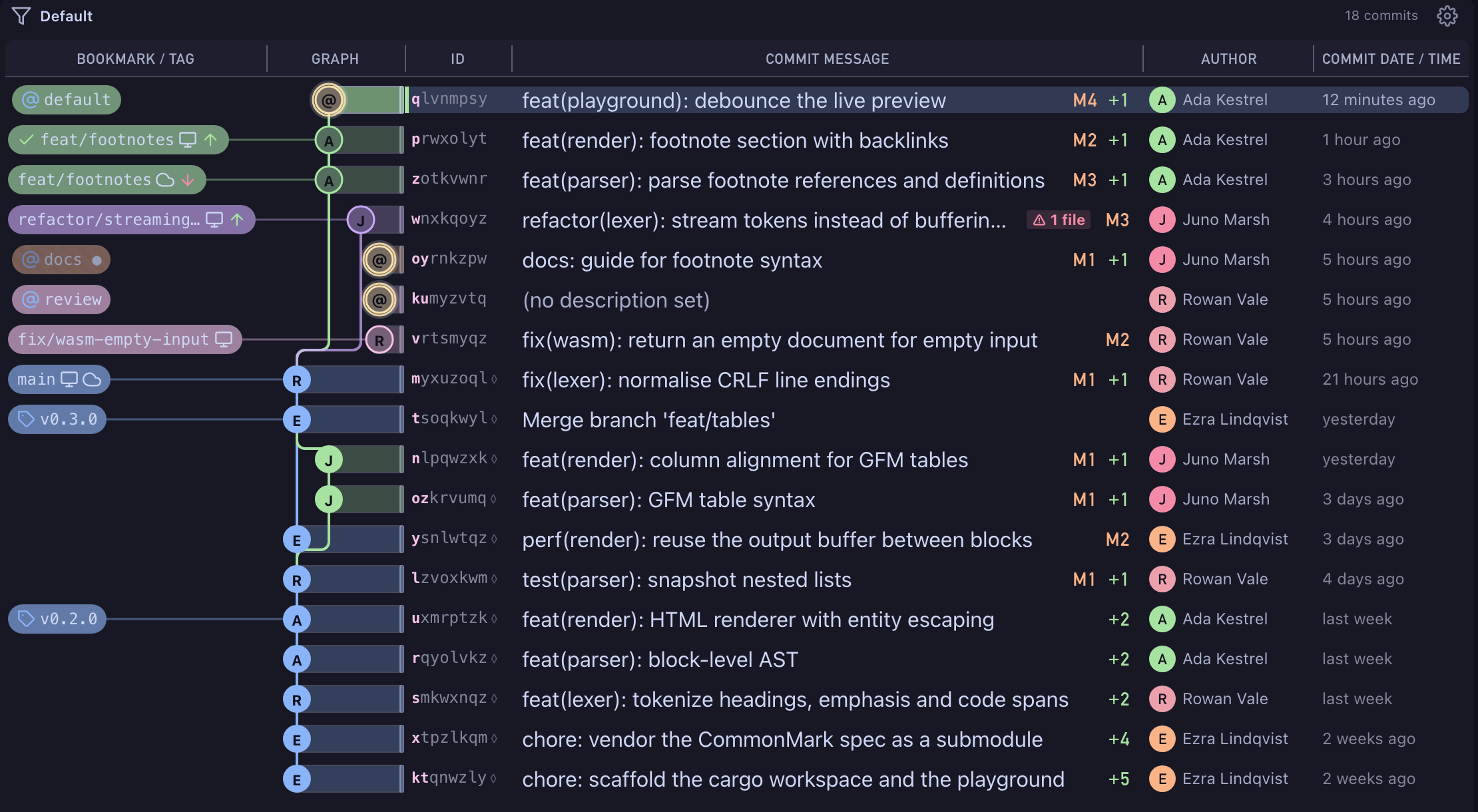
Change IDs, bookmarks, tags, workspaces and conflicts in one aligned graph. The log loads as you scroll, so long histories stay smooth, and a revset filter narrows it to exactly the commits you care about.
- Free Public and local repositories, every feature.
- Pro Private repositories on GitHub, GitLab and Bitbucket, with a 14-day trial.
zvwrtpkm · commit
How it works
Open a repository
Open a jj repository or an ordinary Git one. Wyrm colocates jj with Git, so your team still sees a plain Git repository.
Read the graph
Each row shows the lane, change ID, description, author and time. Bookmarks, tags, workspace chips and conflict badges sit on the commits they belong to.
Filter with a revset
Type an expression such as
author(you@example.com)or@ :: main, with completion as you type. The log shows only what matches.
wrtpkmzv · branch
What's included
- Virtualised rendering: the log loads as you scroll
- Strict column alignment and lanes that stay put when history changes
- Conflict and ahead/behind counts in the log
- A Custom column for any jj template expression
- Renames tracked, so file history follows a file across them
- Bisect: mark good and bad, or run a command per revision
tpkmzvwr · HEAD
Availability
- Free
- Public and local repositories, every feature.
- Pro
- Private repositories on GitHub, GitLab and Bitbucket, with a 14-day trial.