oqlwpzyk · Every operation, reversible.
Undo anything, not just the last thing.
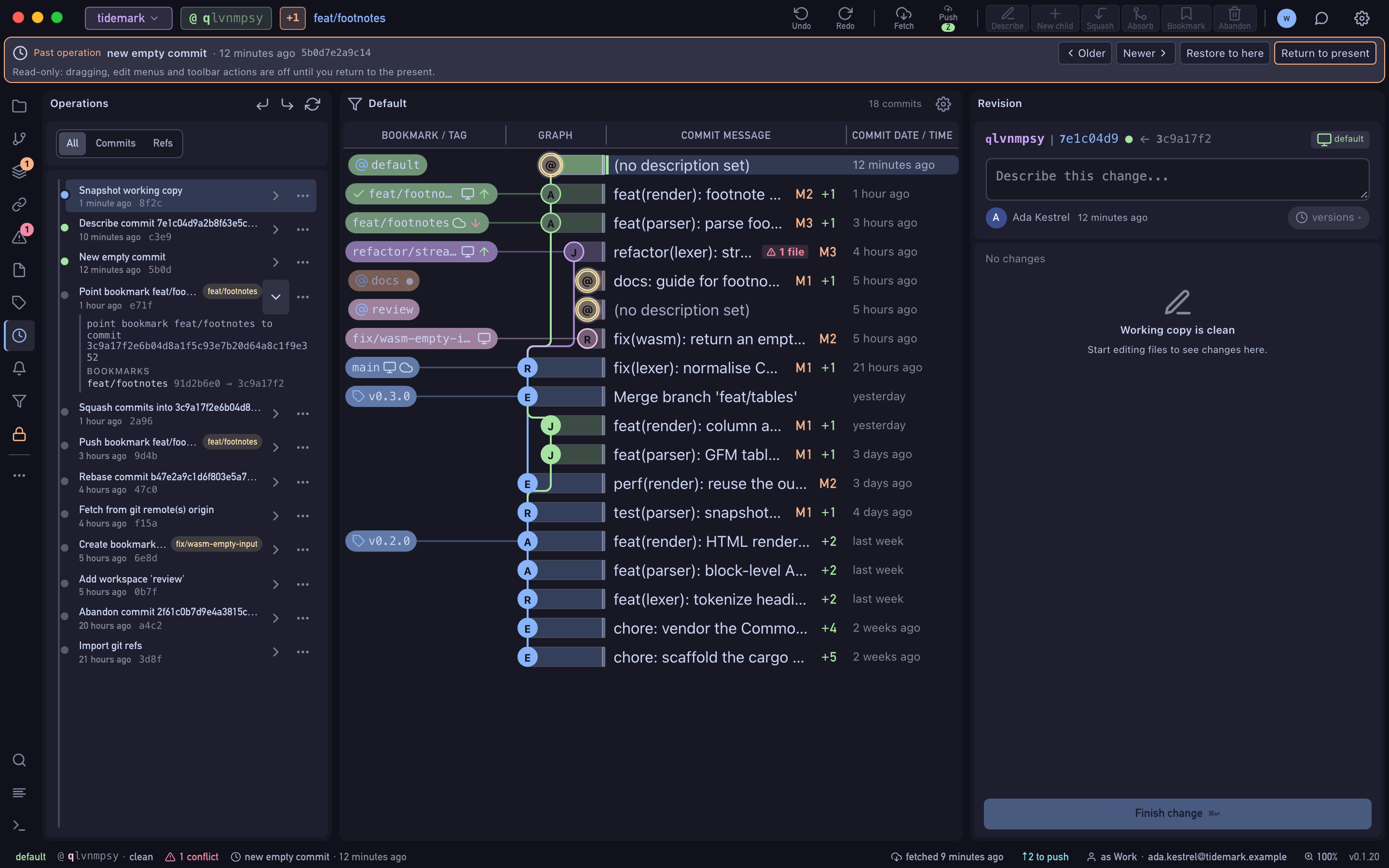
jj records every operation — each commit, rebase, squash and bookmark move — in an operation log. Wyrm puts that log on screen: undo and redo with ⌘Z, restore the repository to any earlier operation, or look at it as it was before you decide.
- Free Public and local repositories, every feature.
- Pro Private repositories on GitHub, GitLab and Bitbucket, with a 14-day trial.
lwpzykoq · commit
How it works
Do the risky thing
Rebase a stack, squash a fix, move a bookmark. Each action becomes one entry in the Operations panel, named after what it did.
See what it changed
Diff a single operation to see exactly which commits and bookmarks it touched, before you decide whether to keep it.
Walk it back
Press ⌘Z to undo and ⌘⇧Z to redo, or choose Restore to here on any earlier operation. View the repository at this operation opens a read-only copy of how things were.
pzykoqlw · branch
What's included
- Undo and redo any operation, from the top bar or with ⌘Z and ⌘⇧Z
- Operation diff: what one operation changed
- Time travel: a read-only view of the whole repository at any operation
- A change's version history, with compare and restore
- Undo stays in its own workspace and won't undo another workspace's operation
ykoqlwpz · HEAD
Availability
- Free
- Public and local repositories, every feature.
- Pro
- Private repositories on GitHub, GitLab and Bitbucket, with a 14-day trial.